You can update ILR records for learners with funding information in the support manager module. It is recommended that institutions run this process on a monthly basis to update ILR records and claim the current Learning Support Payment.
To manage ILR records in support manager:
 View the conditions that must be met to update ILR records
- Funding year is current
- Funding type is Active and has the Include in ILR option set
- LSF FAM records are created when:
- The related fund has the FAMType set to LSF
- There are learner aims where the fund model is 35, 36 or 81
- ALB FAM records are created when:
- The related fund has the FAMType set to ALB
- There are learner aims where the fund model is 99
- The Advanced Learner Loan check box is selected against the related course enrolment's special details
Update ILR records
-
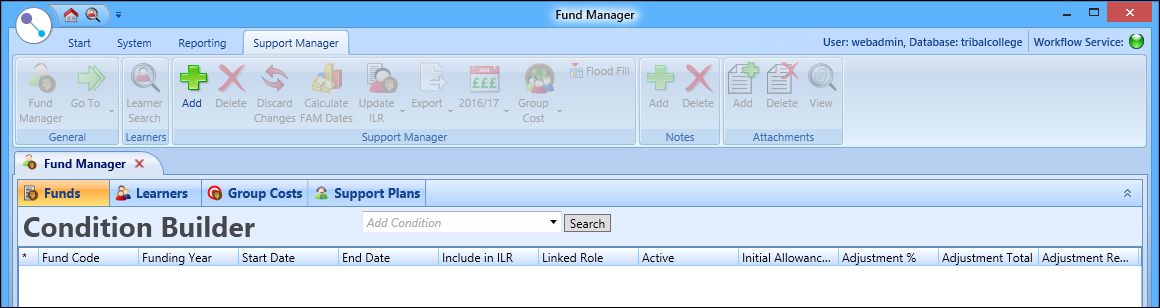
Select the Fund Manager button on the Start ribbon.

The Fund Manager screen is displayed, with the Funds tab displayed by default.
-
Select the Learners tab.

The Learners tab is displayed.

-
Use the Condition Builder to display the required learner records.

-
Select the required learner records in the grid.
Important.You can use Shift-select (for a series of learners), or Ctrl-select (for individual learners).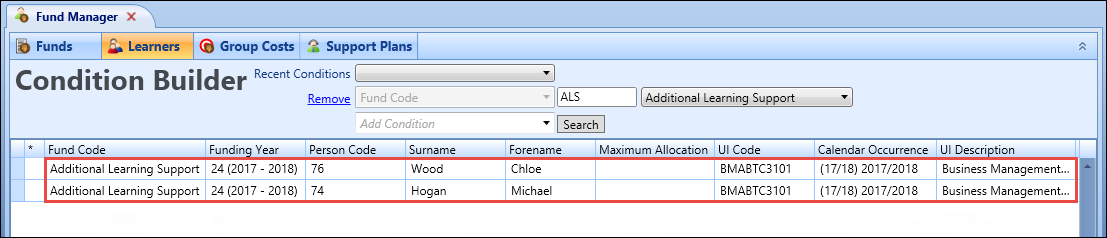
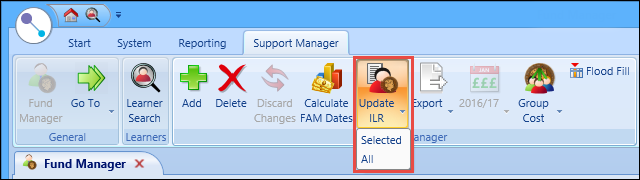
- Select the Update ILR button on the Support Manager ribbon, and then select one of the following:
- Selected - updates the ILR records for the selected learners
- All - updates the ILR records of all the learners in the grid
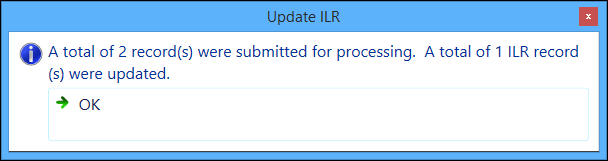
A confirmation message is displayed, stating the number of ILR records that were updated.
-
Select OK to close the message.
Important.An indicator is displayed in the grid for records that do not update the ILR (that is: where a learner is processed using the Update ILR button on the Support Manager ribbon but the conditions are not met to either produce a FAM record or update the learner's additional support costs).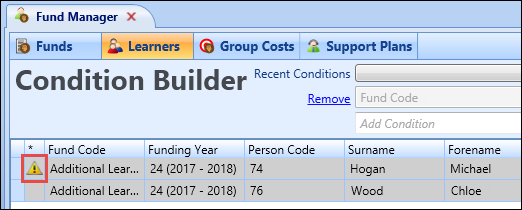
View calculated FAM dates
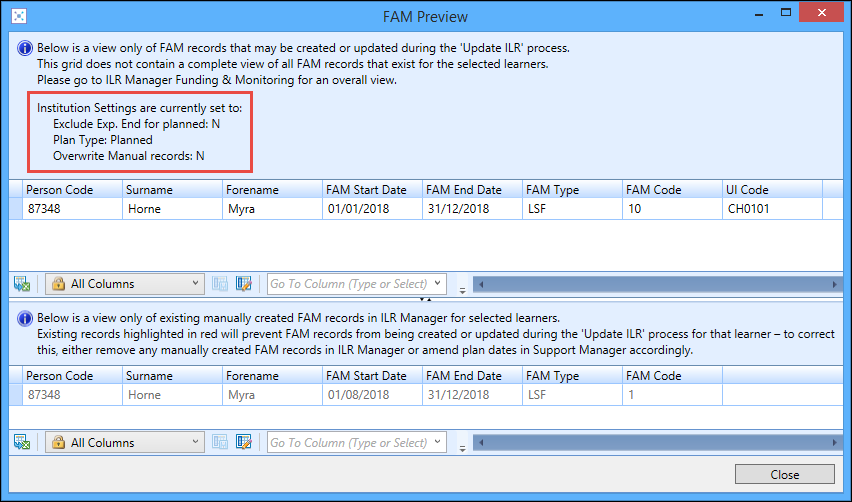
You can view FAM records to be created or updated as part of the Update ILR process and existing FAM records created in ILR Manager for selected learners on the Learners tab in Fund Manager.
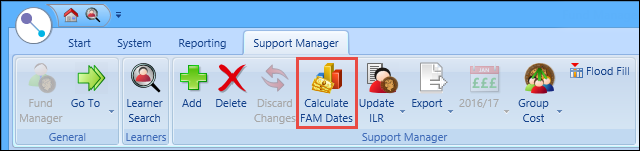
To view calculated FAM dates, select the required learners in the grid on the Learners tab, and then select the Calculate FAM Dates button on the Support Manager ribbon.
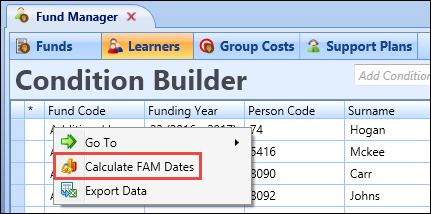
The FAM Preview window is displayed.
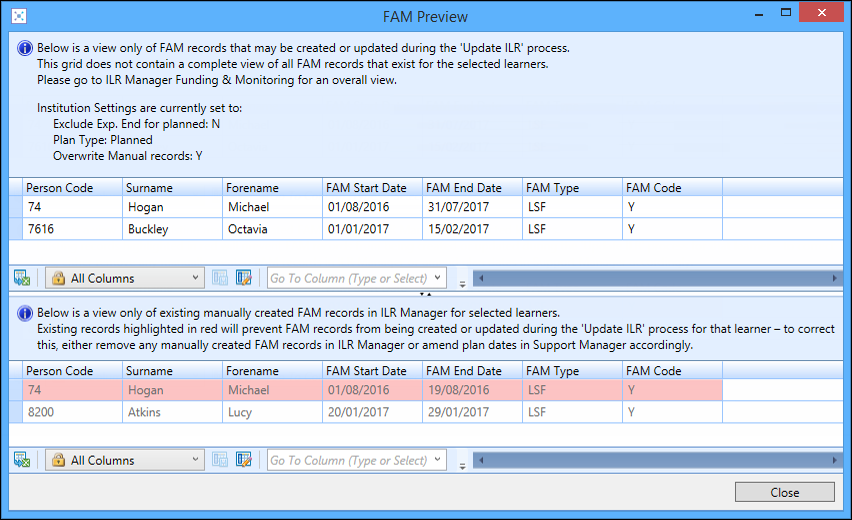
The FAM Preview window displays the following:
- The current institution settings at the top of the window, so you can view the current configuration of the settings which govern the Update ILR process when previewing the creation of FAM records
-
FAM records to be created or updated as part of the Update ILR process in the grid at the top of the window
Important.This grid does not contain a complete view of all FAM records for the selected learners, with the full view available on the Funding and Monitoring tab in ILR Manager. -
Existing FAM records created in ILR Manager in the grid at the bottom of the window
Important.Records which are highlighted in red are those which were manually created and will either prevent the creation of records which will clash or be overwritten by the clashing record, as defined by the Overwrite Existing manually created records which clash institution setting.
Update planned and delivered support plans
You can control how the Update ILR process from Fund Manager creates and updates ILR FAM records based on planned support, delivered support, or a combination of the two (that is: to manage the transition from planned to delivered support as required) using the institution settings displayed below on the Support Manager screen.
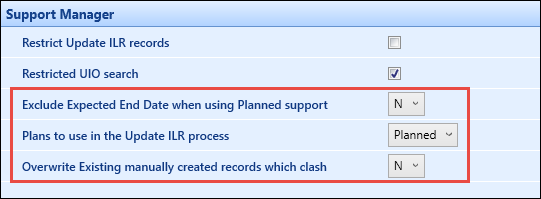
These institution settings are described in the following table.
| This field | Holds this information... |
|---|---|
| Exclude Expected End Date when using Planned support | Whether to exclude the expected end date when using planned support. This is set to N by default. |
| Plans to use in the Update ILR process |
Whether to use planned support, delivered support or both in the Update ILR process. Users can select from the following:
|
| Overwrite Existing manually created records which clash | Whether to overwrite existing manually created records which clash. This is set to N by default. |
The values set for these institution settings are displayed on the FAM Preview window (accessed from the Calculate FAM Dates button on the Support Manager ribbon) in Fund Manager so you can view the current configuration of the settings which govern the Update ILR process when previewing the creation of FAM records.